Cartage AI
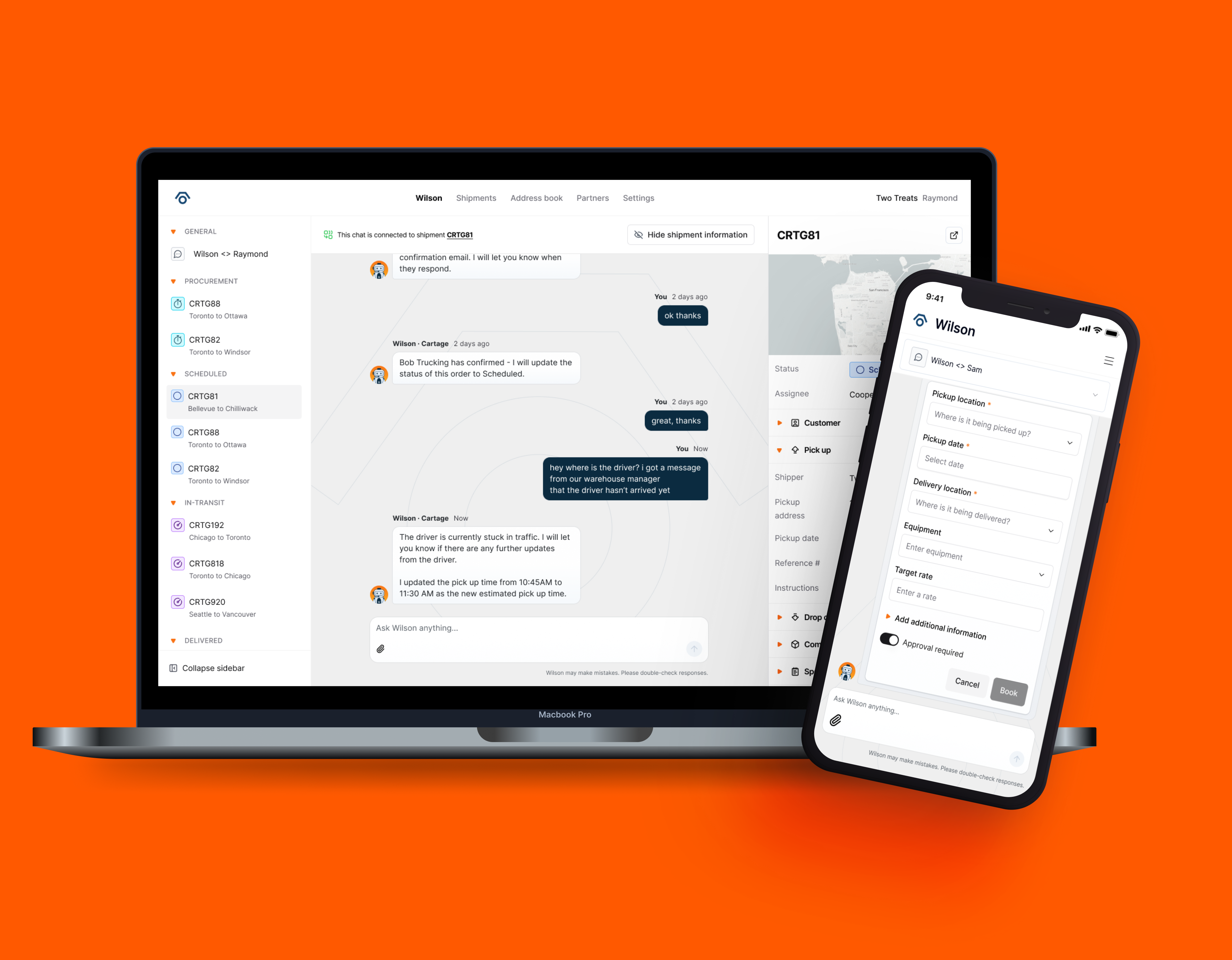
Internal Wilson Module
AI-powered module that automates the procurement process for logistic coordinators, freeing up the freight ops team to focus on higher‑priority work.
Overview
The portal we built for customers includes a Wilson module where they can create shipments by sending a message and ask shipment questions in conversational threads. But when it came to procuring a shipment and sending proactive updates, it was still a human on the freight ops team doing the manual work behind the scenes.
Problem
How might we design a module that lets the freight ops team work alongside a multi‑agent AI system to free up time for higher‑priority asks from customers?
Managing freight as a logistics coordinator
To deeply understand the day‑to‑day, I stepped into the role of freight coordinator for a week and managed three live shipments. This hands‑on experience surfaced key pain points:
- Communication is overwhelmingly email‑based, with long back‑and‑forth threads across many stakeholders.
- Recurring shipments often use the same carriers, but that knowledge is locked in people’s heads and inboxes, not in the system.
- Searching for a shipment in the board is time‑consuming and mentally taxing.
Procurement journey
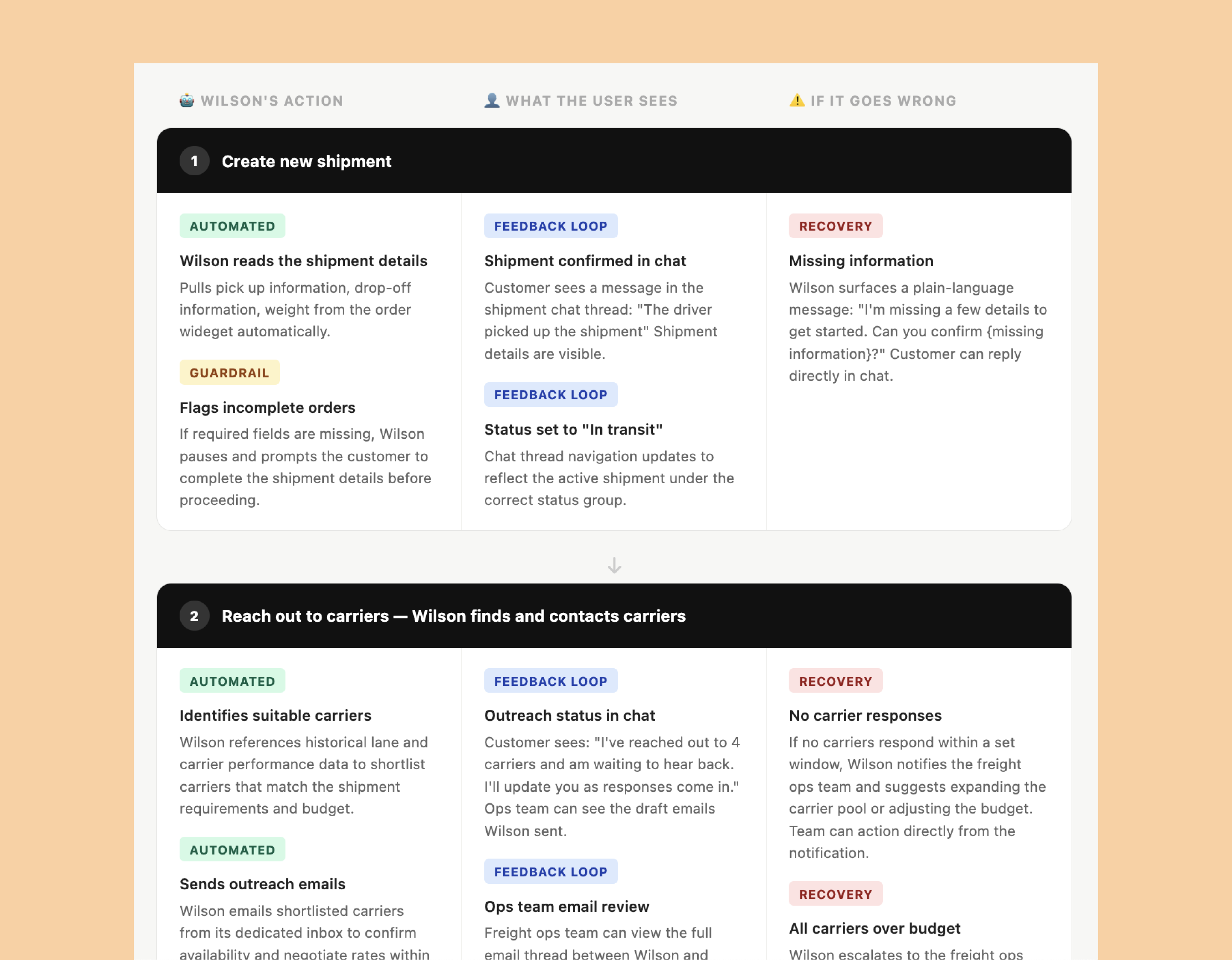
I mapped out the end‑to‑end procurement process and broke it into discrete steps, then identified which moments could be automated by Wilson and where a human needed to step in. This helped us define clear hand‑offs between agents and people, and made it easier to reason about what “good” looked like for the first version of the module.
Technical limtations
I needed to better understand any technical limitations my design might run into, so I worked closely with the engineering team to understand how they built our AI agents. We had multiple agents handle different tasks: one that helps customers create and set up shipments, while another agent manages shipment updates and can modify shipment information.
What was missing was an agent that could help handle the tasks involved in the procurement process for shipments like sending and responding to emails, coordiating with carriers and information the team of any changes.

UX Issues
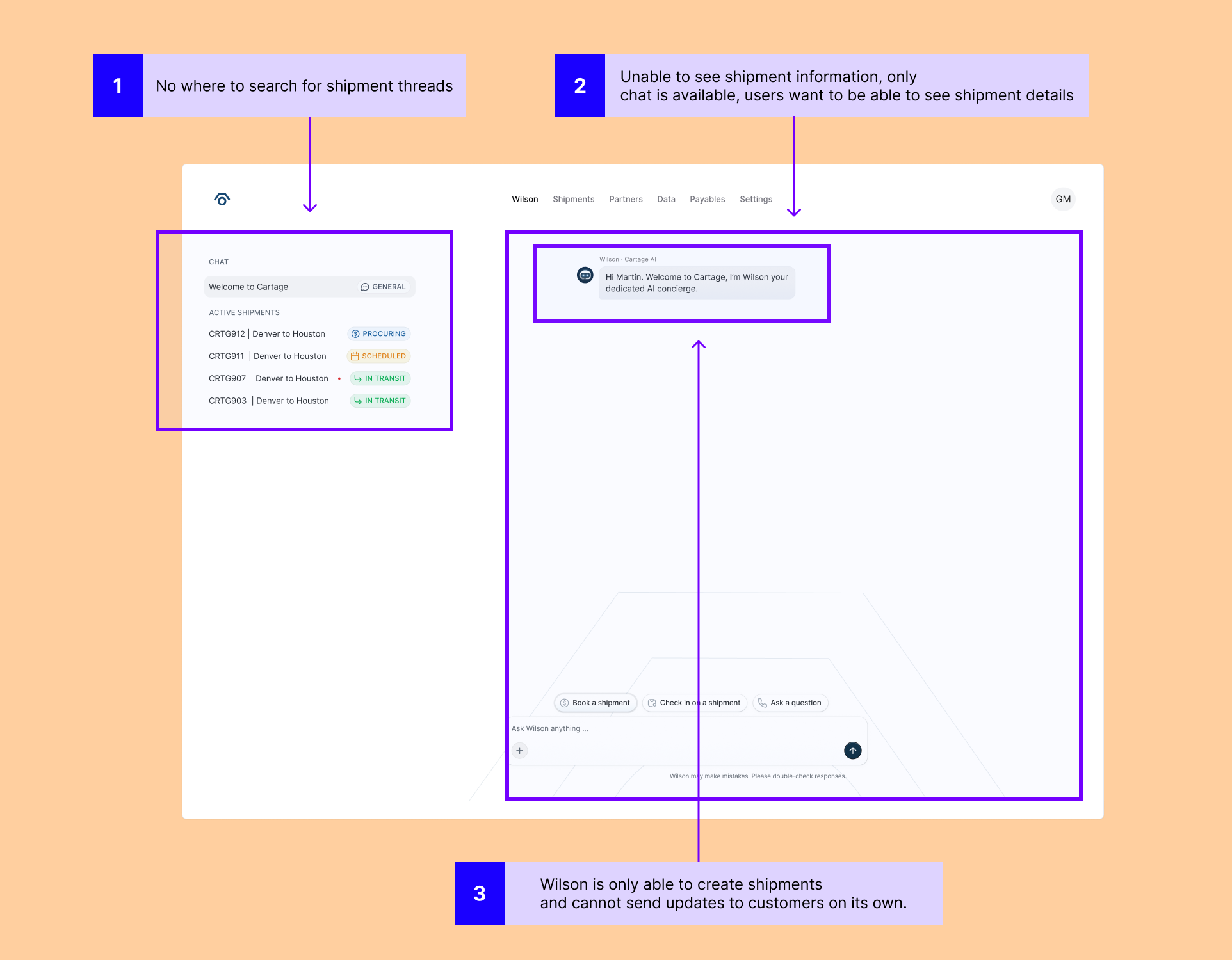
Customers and our internal teamhad UX issues with the existing module. The issues included: difficult finding the right shipment thread and important shipment information related to it, and Wilson's inability to send shipment updates or respond to emails on behalf of the team.
Design
Our design system uses shadcn as a foundation, which meant I could design something at high-fidelity fairly quickly by reusing and adapting existing components instead of creating it from scratch.
2-panels or 3-panels
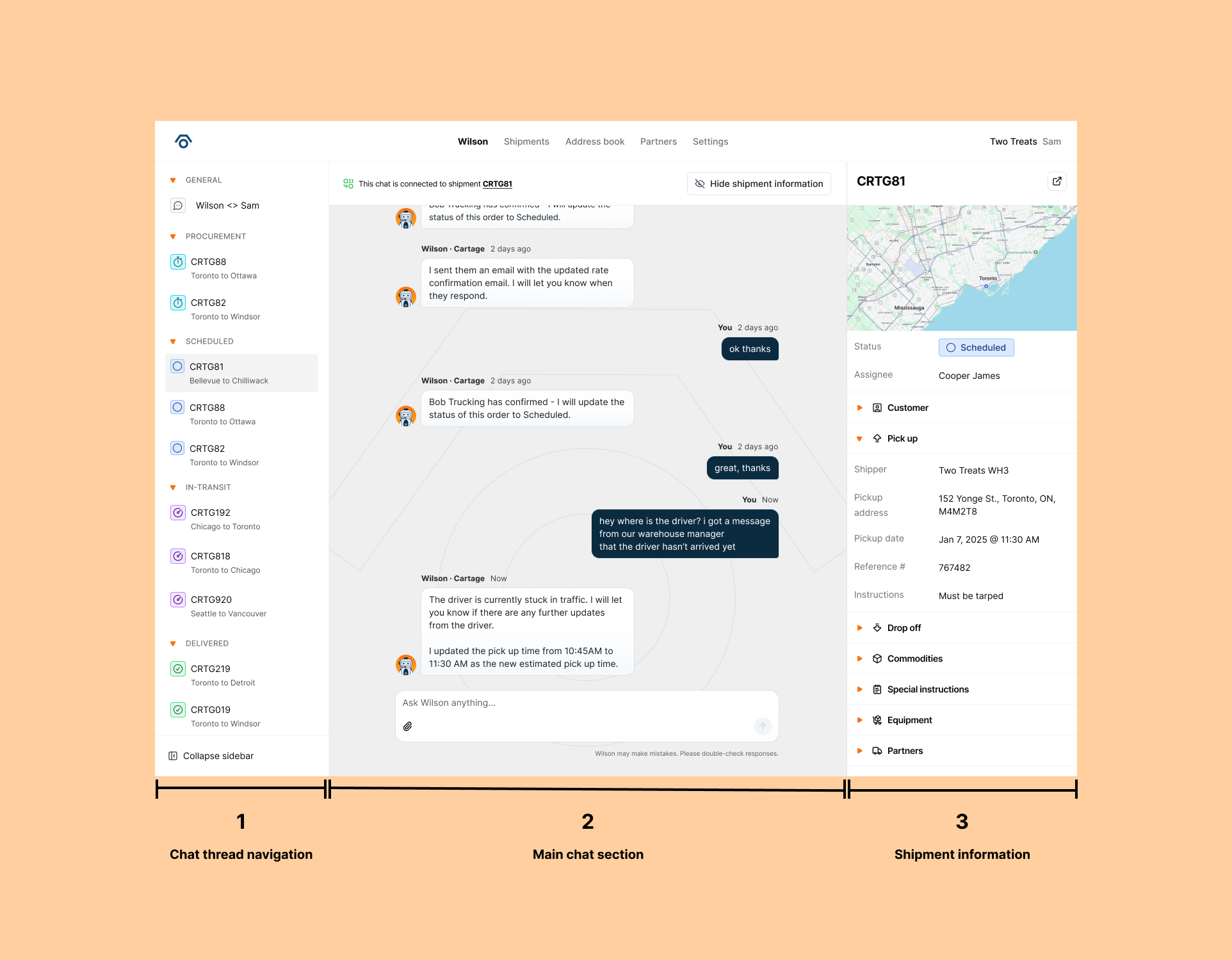
There was debate on the team about whether to default to a 2 or 3-panel layout. I proposed a flexible approach: default to 2 panels, with the option to expand a third panel to view shipment details alongside the chat.
Customers who wanted to focus purely on interacting with Wilson could collapse the third panel and stay in a focused 2-panel view. The goal was to let customers choose their own focus rather than locking them into a single layout.
Shipment chat navigation
Shipment chats are conversations tied directly to each shipment a customer creates, where they can ask Wilson for updates or information at any time.
Early on, we explored adding search and the ability to favourite conversations. However, given the engineering complexity involved, we made the decision to simplify the navigation for this first phase and revisit search later.
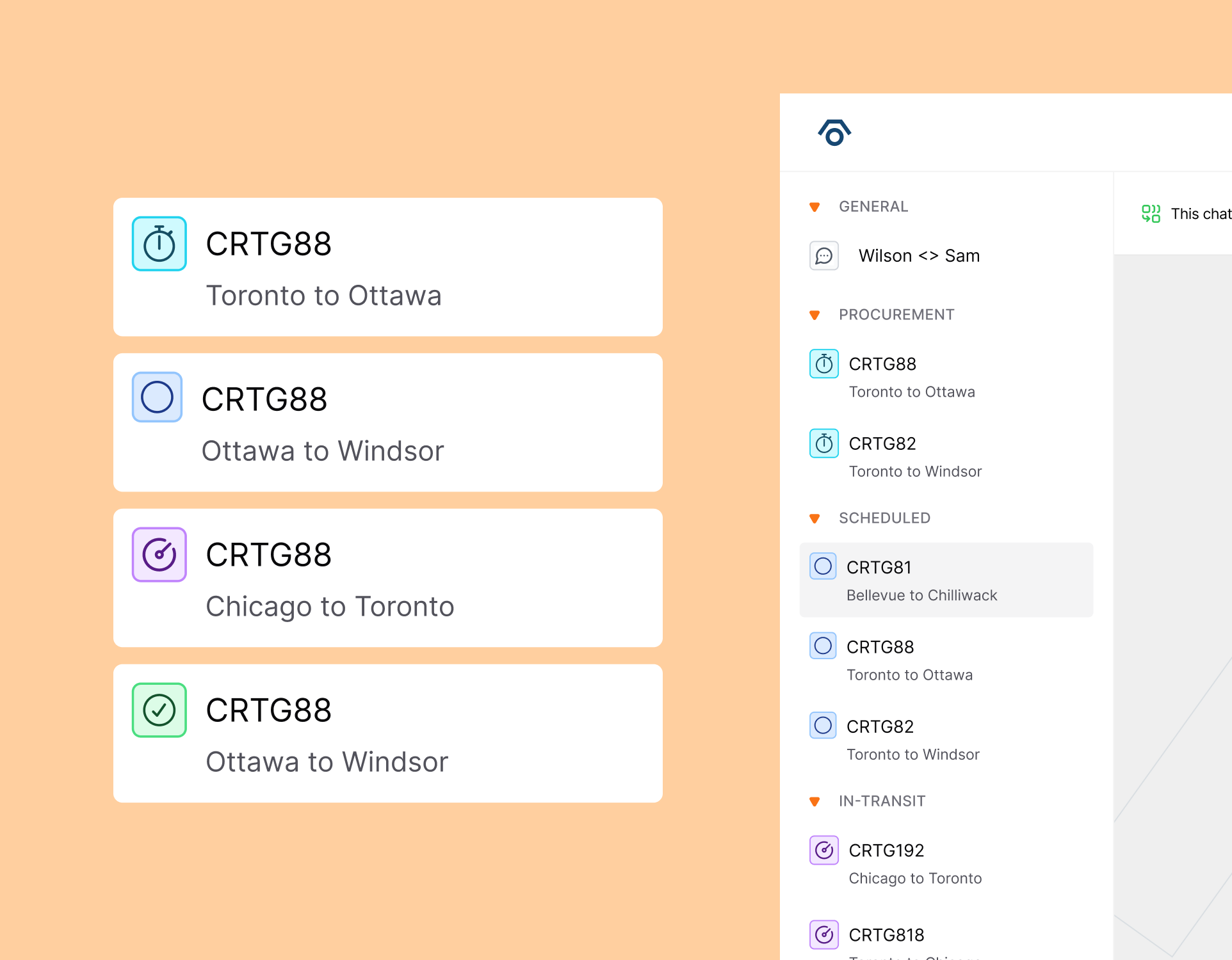
Instead, I grouped shipment chats by status — giving customers a faster, more intuitive way to find what they're looking for without needing search at all. Where the previous version displayed everything in one undifferentiated list, the updated design lets users quickly scan by status and locate the specific shipment thread they need.
Messages and interactive widgets
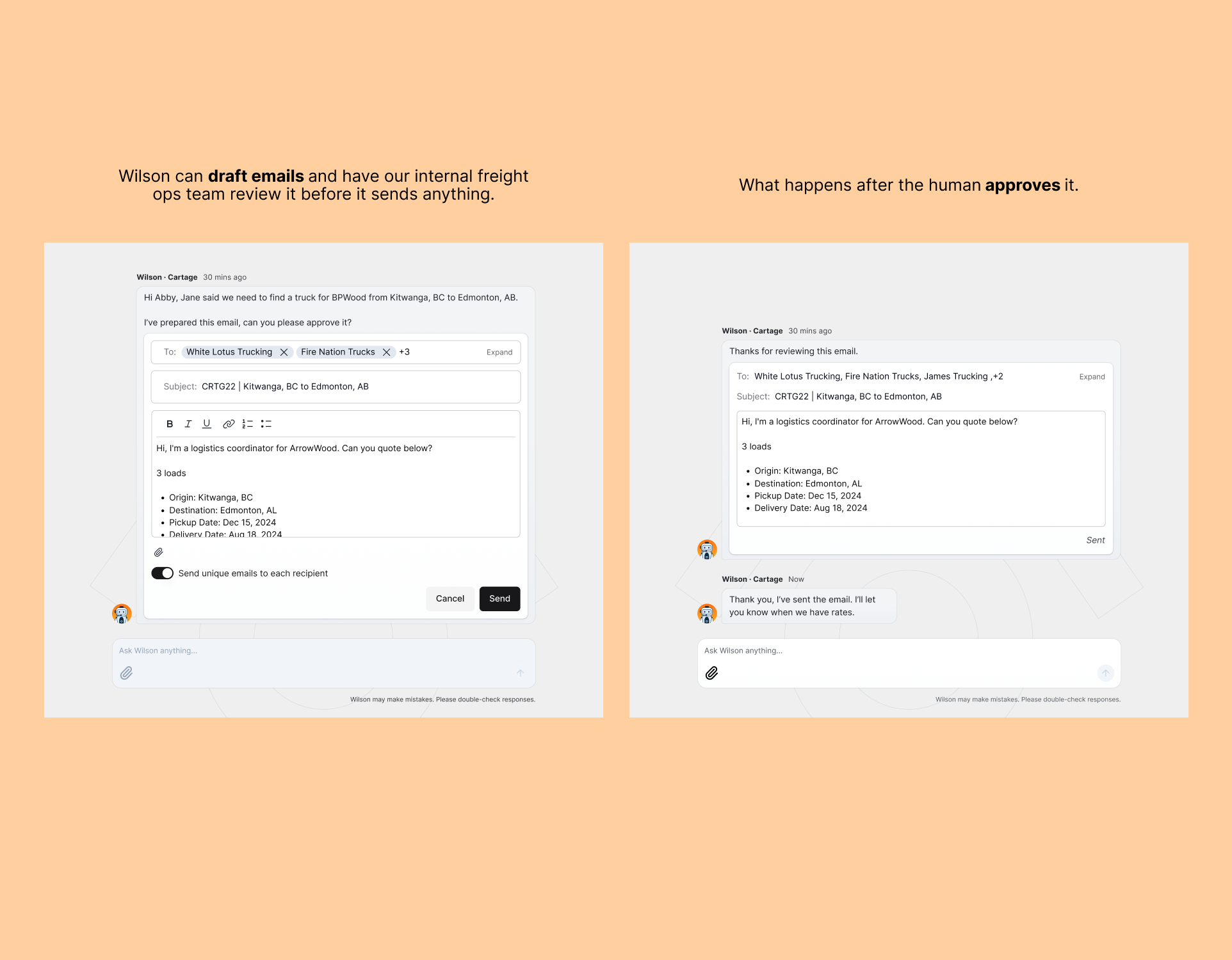
With the addition of the new agent, our freight ops team members can review emails drafted by Wilson before it sends it to the carriers.
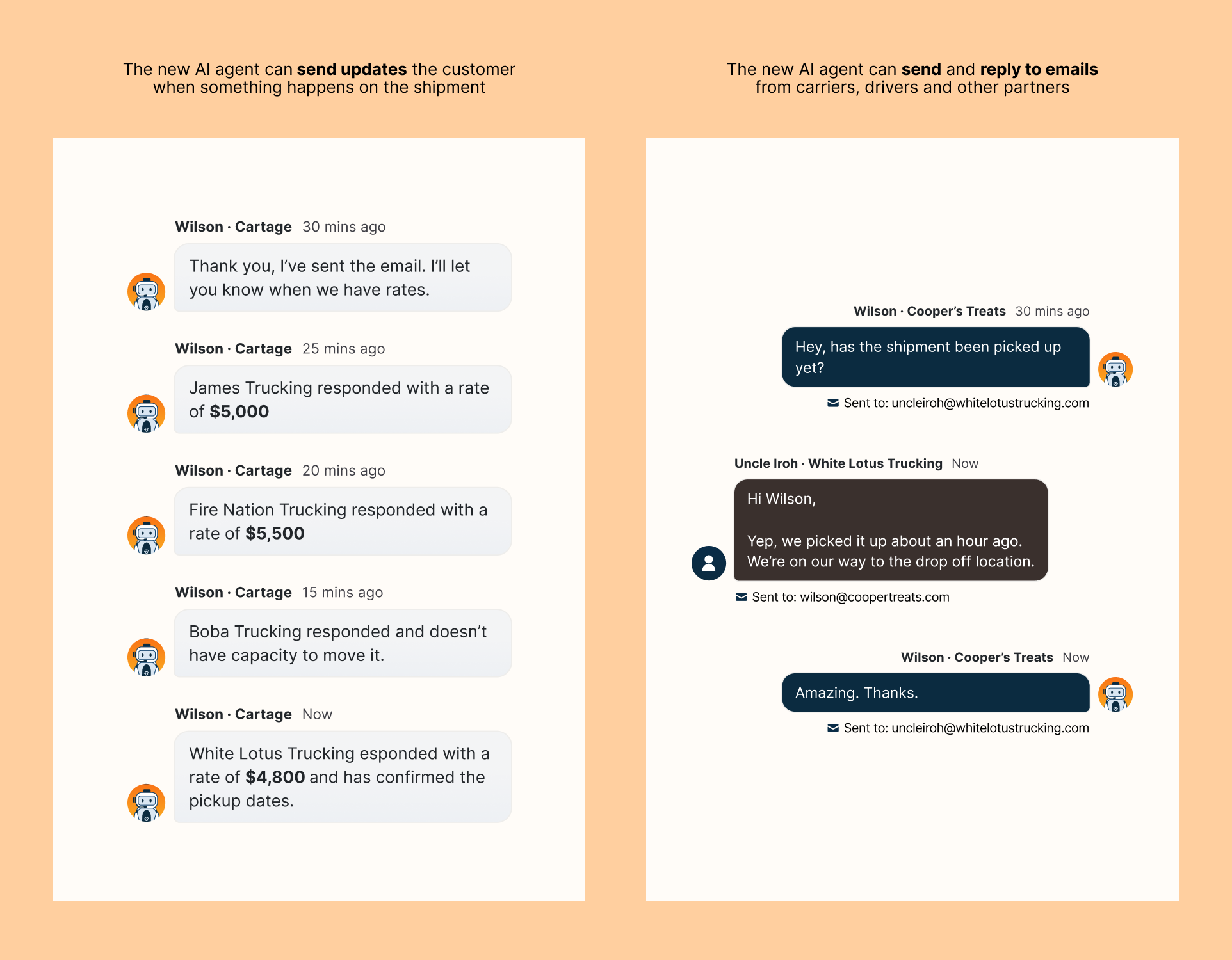
Messages that our internal team used to manually send is now being handled by the new agent as well. The new agent can also now send and reply to emails to inboxes that it has access to.
Launch & outcomes
We kept the process lean—designing just enough to test, then iterating based on what we learned. After launching the Internal Wilson Module to the freight ops team:
- Wilson took on roughly 40% of logistics coordination tasks, including carrier outreach, pickup confirmations, and paperwork.
- Wilson handled about 70% of customer‑facing communication tasks, sending shipment updates that had previously required manual effort.
Lessons
- Designing for a multi‑agent AI system reshaped how I think about AI products. Understanding how agents communicate, share data, and use the tools we design for them to carry out tasks was fascinating and makes me excited to learn more about how to better design for AI and to also use it to improve my own workflows.
- In an early‑stage startup, progress over perfection is the default. You’re constantly balancing immediate constraints with designing for scale.
- Stepping into the role of freight coordinator was one of the most valuable parts of the project. Doing the work myself created a much deeper understanding and empathy than observation alone.
Acknowledgements
To Alex and Val, our engineering AI geniuses, for being patient with me and answering all of my questions, showing me how AI agents work, and helping build and give life to the newly designed Wilson module. Without them, none of this would have been possible.